Dev Log
Procedural Spaceship Generator
I find myself short these days. Short on patience. Short on time. Short on words. Just short… So here’s a short post and a quick video.
All the same I’ve been finding an hour here and 30 minutes there to slowly make more progress on my game. Yes this is the new game. The next game. If you missed it, you can read all about why I had to shelve my last game. This game is strongly influenced and inspired by the class BBS game Trade Wars 2002. I’ve been coding up a procedurally generated universe, fleshing out an inventory system and scripting the backbone of an economy.
With those pieces working, I sat back and looked at what I had. It’s not bad. It’s rough. But doable. The problem is still that to get something “shippable” or at least in the hands of testers and there’s a lot of content to create. So I had an idea…
What if I could produce a mini-game? What if I could take chunk of the big game, polish it, refine it and publish that? This would cut the immediate project size down significantly, result in quicker feedback from players and give me a second published game. So that’s what I’m doing.
The “game loop” will consist of building a ship, battling an AI ship, earn/collecting a reward and then starting the process over again. It’s simple but seems like it has potential.
I had the basics of a combat system already working so the next big piece was to develop a procedural generation script that could produce the AI ships. And that’s what I’ve been working on the last few weeks. I put together a short video showing the work.
Hope you enjoy and I’d love to hear your thoughts. You can play with the ship generator here - it’s an html build nothing to download just run it in your browser.
Implementing SFX in Unity
Every year I have to work and work to convince my students to add SFX them to their games. They resist and see it as a waste of time. They value graphics over audio. But when they finally add the SFX - it's magic! The "plunk" of an object being placed or the "click" of a button adds so much to the game!
Implementing SFX can be a messy process. I'm pretty confident that I DO NOT have the best solution, but it's a better solution that I had a few years ago. So I thought I'd toss out some info out to the winds of the interwebs on my approach to adding SFX within Unity.
I'm not procedurally generating sounds or anything half that interesting. I'm just playing clips but doing so with some variation in the clip, volume, and pitch. I do this with a custom class (not a monobehavior) that allows easy and quick adjustments in the Unity inspector.
The image of the inspector is from my current project and uses Odin Inspector - which is why the list looks different.
The code for the clip options is pretty sort and sweet. I've added two functions to clean up the implementation for when a clip needs to be played.
The "PlaySFX" function has two parameters, the first is the AudioSource of where the clip will be played and the second is a boolean that prevents or allows the current clip (if any) to end and the new clip to be played. UI sounds interrupting other UI sounds is generally okay but sounds such as explosions getting clipped by another explosion tends to breaks player immersion.
In some cases, I have created or cloned AudioSources to allow as many concurrent SFX as needed - but that's a whole other post. It's actually not too hard either.
Within the function the volume and pitch are both varied randomly. So no two button clicks (or other SFX) are identical, but if the variation is kept small they also sound similar avoiding possible confusion by the user that a new event has occurred.
New instances of the SFX can then be created for different actions. I keep mine private and call them via event, but allowing them to be public could work as well.
Next, I create a private function for each type of action. This private function will get called by an event.
Each of these functions can then subscribe to events that are called on other objects.
While this does require a bit more coding, it makes for a very clean and non-spaghetti like code base.
You can check out my full script on PasteBin.
Prototyping Something New
After the demise of my previous project I've taken some time off from active game development. I've been doing a little soul searching, a little research and as much learning as I can squeeze into an already packed schedule.
Feeling like I had an idea worth exploring, I've spent the last few weeks working to prototype a new game idea. It's an idea that I've had bouncing around for a few years and is heavily inspired by one of the first online games I ever played. And no. This new game will not have multiplayer - I've learned that lesson (I hope).
With my last project I was nearly a year into it and still didn't have a real working prototype - I had built prototypes of systems but that was it. So this time around I was determined to do things differently. I wanted something that I could prototype in a few weeks, maybe a couple months at most (real life can get in the way).

Despite looking like a folded protein structure, it's a bunch of star systems with mapped out connections.
So... Where is it at now?
In a about ten days, I was able to code the "procedural" generation of the world. It's not perfect, but it works. And that's all a prototype needs.
A few days later I had the player's navigation working along with some ugly but functional and relevant UI.
The project was checking lots of boxes and doing so quickly.
The game will be a "space" game. You know planets, stars, laser beams and plenty of spaceships flying around.
So the next chunk I wanted to implement was shipbuilding. I want the player to customize their ship and design it around their desired play style. A few days later while sticking to primitive shapes (programmer art) I had the basic code functioning. Even spent some time working on visual feedback...
That was a few hours work that didn't move the prototype forward. Oops.
I'm pretty happy with the results. It's simple and not as smooth and polished as it needs to be, but it works. Again it's everything the prototype needs (and just a few bits more).
With the ship building complete I had two major features that were going to need work. The game is going to be based on trading and combat (shocking I know). So I needed an inventory and shop system.
Nothing much to see with the shop system and it's probably the part of the prototype that I'm the least happy with. But! It works. I need to revisit it, to make it "feel" good as it will likely be a central part of many player's experiences. That will come later in the production.
As much as I dreamt of making a "violence free" game with my last project, I can't imagine this game without some lasers, a healthy dose of explosions and maybe a few space pirates. Which means the last piece to build was a combat system.
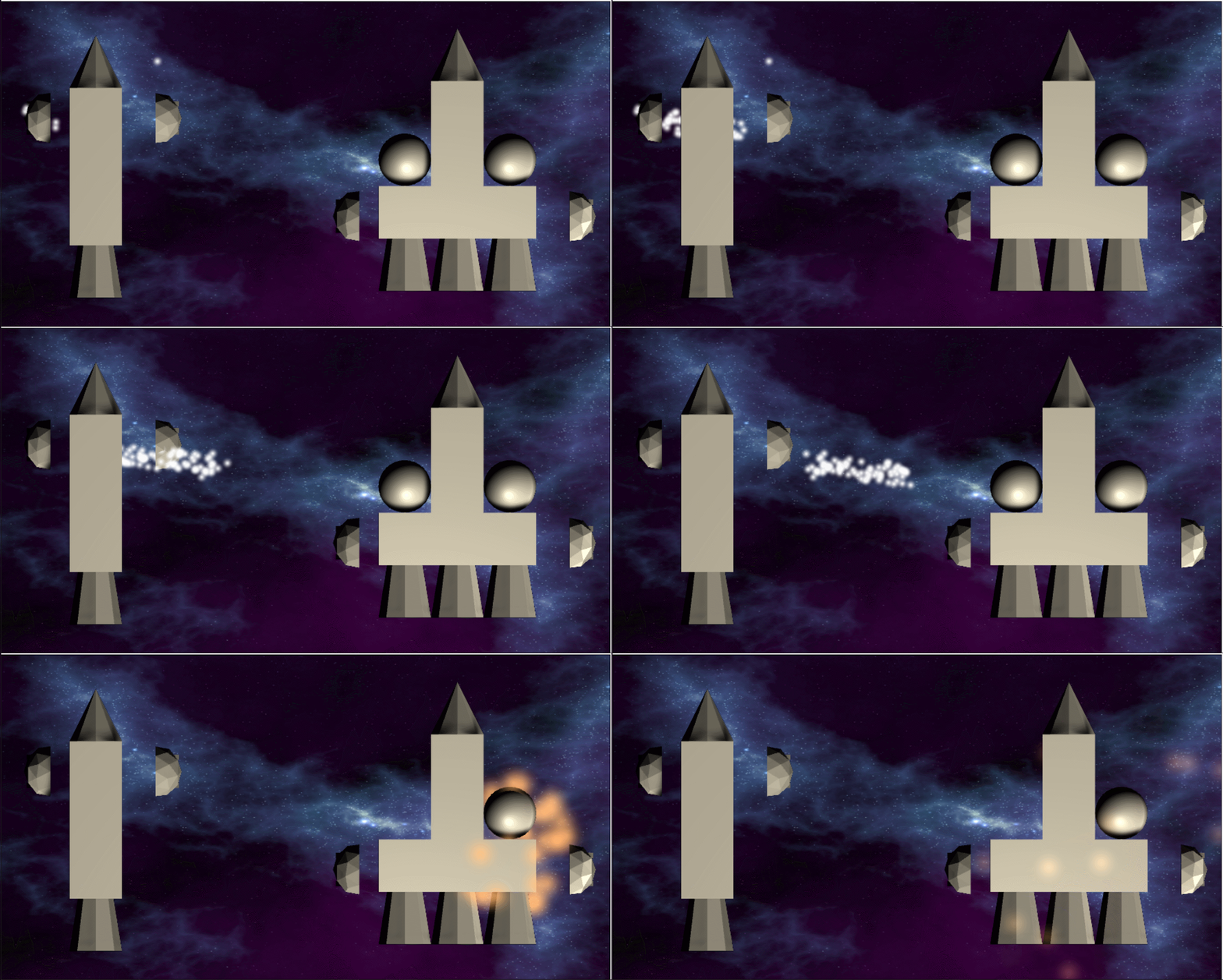
I know. I know. It's a masterpiece!
The combat will be very stylized. You're won't be piloting your ship dodging asteroids or incoming missiles. Rather you'll be creating a strategy to counter a single opposing ship. You'll be able to pause the game, think, plan, act and then watch it unfold. And yes, the system is pretty heavily inspired by a popular rogue-like minus the parts that I didn't like and hopefully with at least a few new ideas.
Even for a prototype, the beginnings were pretty rough.
Once the code was functional I wanted maybe even needed to make this part of the game "feel" good. If I can't make this feel good, then I may need to re-evaluate the design?
I spent a few hours on the UI, a bit on the visuals and a few more on some basic AI. The results? They aren't horrible.
Clearly, there is more work to be done.
So is this my new game?
Maybe it is. Maybe it's not. But I'm getting close to committing.
Older Posts
-
January 2026
- Jan 27, 2026 Save and Load Framework Jan 27, 2026
-
April 2024
- Apr 10, 2024 Ready for Steam Next Fest? - Polishing a Steam Page Apr 10, 2024
- Apr 1, 2024 Splitting Vertices - Hard Edges for Low Poly Procedural Generation Apr 1, 2024
-
November 2023
- Nov 18, 2023 Minute 5 to Minute 10 - Completing the Game Loop Nov 18, 2023
-
September 2023
- Sep 13, 2023 Visual Debugging with Gizmos Sep 13, 2023
-
July 2023
- Jul 4, 2023 Easy Mode - Unity's New Input System Jul 4, 2023
-
May 2023
- May 19, 2023 Level Builder - From Pixels to Playable Level May 19, 2023
-
April 2023
- Apr 11, 2023 Input Action in the Inspector - New Input System Apr 11, 2023
-
February 2023
- Feb 26, 2023 Tutorial Hell - Why You're There. How to Get Out. Feb 26, 2023
-
December 2022
- Dec 31, 2022 Upgrade System (Stats Part 2) Dec 31, 2022
-
November 2022
- Nov 10, 2022 Stats in Unity - The Way I Do it Nov 10, 2022
- Nov 5, 2022 State of UI in Unity - UI Toolkit Nov 5, 2022
-
August 2022
- Aug 17, 2022 Knowing When A Coroutine Finishes Aug 17, 2022
-
April 2022
- Apr 23, 2022 Unity Input Event Handlers - Or Adding Juice the Easy Way Apr 23, 2022
-
March 2022
- Mar 15, 2022 *Quitting a Job I Love Mar 15, 2022
-
February 2022
- Feb 8, 2022 Split Screen: New Input System & Cinemachine Feb 8, 2022
-
January 2022
- Jan 24, 2022 (Better) Object Pooling Jan 24, 2022
- Jan 19, 2022 Designing a New Game - My Process Jan 19, 2022
- Jan 16, 2022 Strategy Game Camera: Unity's New Input System Jan 16, 2022
-
December 2021
- Dec 16, 2021 Raycasting - It's mighty useful Dec 16, 2021
-
November 2021
- Nov 22, 2021 Cinemachine. If you’re not. You should. Nov 22, 2021
-
August 2021
- Aug 3, 2021 C# Extension Methods Aug 3, 2021
-
June 2021
- Jun 27, 2021 Changing Action Maps with Unity's "New" Input System Jun 27, 2021
-
May 2021
- May 28, 2021 Unity's New Input System May 28, 2021
- May 8, 2021 Bolt vs. C# - Thoughts with a dash of rant May 8, 2021
-
March 2021
- Mar 10, 2021 Coroutines - Unity & C# Mar 10, 2021
-
January 2021
- Jan 14, 2021 Where's My Lunch? - January Devlog Update Jan 14, 2021
-
December 2020
- Dec 27, 2020 C# Generics and Unity Dec 27, 2020
- Dec 7, 2020 Steam Workshop with Unity and Facepunch Steamworks Dec 7, 2020
-
November 2020
- Nov 27, 2020 Simple Level Save and Load System (Unity Editor) Nov 27, 2020
- Nov 9, 2020 Command Pattern - Encapsulation, Undo and Redo Nov 9, 2020
-
October 2020
- Oct 28, 2020 GJTS - Adding Steamworks API and Uploading Oct 28, 2020
- Oct 9, 2020 Game Jam... Now What? Oct 9, 2020
-
August 2020
- Aug 16, 2020 Strategy Pattern - Composition over Inheritance Aug 16, 2020
-
July 2020
- Jul 24, 2020 Observer Pattern - C# Events Jul 24, 2020
- Jul 15, 2020 Object Pooling Jul 15, 2020
- Jul 3, 2020 Cheat Codes with Unity and C# Jul 3, 2020
-
June 2020
- Jun 16, 2020 The State Pattern Jun 16, 2020
-
August 2019
- Aug 12, 2019 Easy UI Styles for Unity Aug 12, 2019
-
July 2019
- Jul 3, 2019 9th Grade Math to the Rescue Jul 3, 2019
-
June 2019
- Jun 12, 2019 Introducing My Next Game (Video DevLog) Jun 12, 2019
-
May 2019
- May 29, 2019 Programming Challenges May 29, 2019
-
March 2019
- Mar 2, 2019 Something New - Asking "What Can I Learn?" Mar 2, 2019
-
November 2018
- Nov 30, 2018 A Growing Channel and a New Tutorial Series Nov 30, 2018
-
October 2018
- Oct 11, 2018 Procedural Spaceship Generator Oct 11, 2018
-
July 2018
- Jul 11, 2018 Implementing SFX in Unity Jul 11, 2018
-
May 2018
- May 31, 2018 Prototyping Something New May 31, 2018
-
April 2018
- Apr 17, 2018 When to Shelve a Game Project? Apr 17, 2018
-
February 2018
- Feb 9, 2018 State of the Game - Episode 3 Feb 9, 2018
-
December 2017
- Dec 16, 2017 State of the Game - Episode 2 Dec 16, 2017
-
November 2017
- Nov 7, 2017 The Bump From A "Viral" Post Nov 7, 2017
-
October 2017
- Oct 30, 2017 NPC Job System Oct 30, 2017
-
September 2017
- Sep 1, 2017 Resources and Resource Systems Sep 1, 2017
-
August 2017
- Aug 3, 2017 State of the Game - Episode 1 Aug 3, 2017
-
June 2017
- Jun 20, 2017 Resources: Processing, Consumption and Inventory Jun 20, 2017
- Jun 15, 2017 Energy is Everything Jun 15, 2017
-
May 2017
- May 16, 2017 Graphing Script - It's not exciting, but it needed to be made May 16, 2017
- May 2, 2017 Tutorials: Low Poly Snow Shader May 2, 2017
-
April 2017
- Apr 28, 2017 Low Poly Snow Shader Apr 28, 2017
- Apr 21, 2017 Environmental Simulation Part 2 Apr 21, 2017
- Apr 11, 2017 Environmental Simulation Part 1 Apr 11, 2017
-
March 2017
- Mar 24, 2017 Building a Farming Game Loop and Troubles with Ground Water Mar 24, 2017
-
February 2017
- Feb 25, 2017 The Inevitable : FTF PostMortem Feb 25, 2017
-
December 2016
- Dec 7, 2016 Leaving Early Access Dec 7, 2016
-
November 2016
- Nov 28, 2016 Low Poly Renders Nov 28, 2016
- Nov 1, 2016 FTF: Testing New Features Nov 1, 2016
-
October 2016
- Oct 27, 2016 Watchtowers - Predictive Targeting Oct 27, 2016
- Oct 21, 2016 Click to Color Oct 21, 2016
- Oct 19, 2016 Unity Object Swapper Oct 19, 2016
-
September 2016
- Sep 18, 2016 Testing Single Player Combat Sep 18, 2016
-
May 2016
- May 25, 2016 Release Date and First Video Review May 25, 2016
-
March 2016
- Mar 26, 2016 Getting Greenlit on Steam Mar 26, 2016