Dev Log
NPC Job System
My day job is at full speed with my weekends being controlled by bike races (head coach) so development is coming in spurts. It's disappointing to watch the slow crawl of progress, but at least the bike team is placing first in the conference!
Ok, that's not why you came here... But while your distracted, if you didn't notice I've added a discord channel. It's quiet atm but feel free to stop by if you have questions or comments.
The big focus for the past month or two has been the job system. It is designed to the allow the player to hire NPCs to do basic jobs. These jobs are created from tasks which contain specific actions. These jobs are then "posted" and the NPC uses a simple value system to determine what job they want to accept. The goal is that these jobs are superimposed on top of the NPC's other needs or desires and that jobs provide money for the NPC to provide for itself. The jobs also intended to speed up the progress of the player - rather spend time to chop wood they can pay an NPC to do it allowing the player to become more efficient and do more.
The job system has developed in three major chunks. Code backbone. User interface. Creation of actions.
Code Backbone
The job system needed a generic framework that could be expanded and extended upon. To do this I broke the design into three main classes; jobs, tasks and actions.
The job class is the boss of the whole deal. It controls the flow of tasks that the NPC will do and is also the communication link between the rest of the game and the job as a whole.
Task scripts are pretty similar to jobs in that they control the flow of what actions the NPC will do. Having a second container with no real effect made sense in that a task can fail and if the job contains more than one task the NPC would still be able to accomplish something... There is also the option (not fully implemented) that each task can have a time limit. The thought is that a NPC shouldn't spend 3 days looking for kindling if they could also be mining for coal. I'm not 100% sold on the need for tasks, but will likely leave them in for now.
Actions are where, well, all the action happens. Actions are pretty specific and an individual job or task will likely have several actions. New actions can be added fairly easily due to the base class that is easily extended. Actions will include searching for items, dropping them off for processing or selling them to a vendor and whatever else seems useful.
The three classes largely communicate and interact by checking the status of their "subordinate." That is the job checks and reacts to the status of each task contained in the job and each task checks and reacts to the status of each action contained in the task. When all the actions in a task are complete the task is complete. When all tasks in a job are complete the job is complete and checks to see if it should repeat. Jobs can be done once, daily, continuously or a set number of times. For simplicity the status of jobs, tasks and actions all use the same enum - not started, running, complete, failed or paused.
User Interface
There's a lot going on in the creation and the assignment of a job to an NPC. So the UI is probably the most complex I've made so far in my short dev career. Can I really call it that? I hesitate to even show it as it's so damn ugly, but it's easier to post a picture than describe it all.
Essentially the left panel is where the job is constructed while the right panel contains posted jobs, saved jobs and inventory items that plug into actions. Not the most refined, but it's working (mostly).
The job menu has already been through several iterations. With many more to come. I'm trying to hold off on the fancier bits until the full design is complete or at least closer to complete. Each new action makes me rethink the design of the UI or at least the action interface. Once the set of actions are more complete the design of the UI should come together.
Creation of Actions
The first action created was a rather useless one in that it was a random wander. Not something you'd likely want to pay some one to do, but served as a good testing grounds for the system as a whole.
I would like to keep the number of actions fairly small, but still allow a wide range of jobs for the NPC to complete. Hunting for the system that allows emergent behavior! Currently actions are focused on the collection and delivery of resources. I hacked Inventory Pro to use the item database for the job actions. This greatly simplifies what I have to create and also helps keep a common interface and database.
At the moment I have one UI prefab for all actions and I am simply toggling on/off the needed parts. I'm not sure this is the best solution, but seems to be working fairly well. The toggling is controlled by a series of booleans in the actions themselves - the info in this communicated when the action UI element is created.
So far the available options are an item, location, range from location, and a number of times to repeat the action. These options are holding up well with the exception of needing to show or indicate the location. At the moment the location is a vector3 which is pretty useless to the player...
The Results?
The results of this work is a functional prototype of a job system. It's not complete, it's not ready to be added, but it was a proof of concept. The job system is likely to be left out of the first alpha build, but should make it's way in once the first couple rounds of bug fixing and balancing.
What's Next?
The job system was the last major piece of coding that needed to be completed in the prototype phase. So now the working goal is a fully playable alpha build.
This leaves me focused on the visuals. In particular I begun the process of modeling buildings and working to refine my terrain creation process. I want to include rivers and waterfalls both as eye candy buy also as potential energy sources (hyrdo), but getting a low poly waterfall to look decent is tricky... but more on that in my next post.
I'll leave you with a WIP render of some market stalls.
Resources and Resource Systems
Progress on Game #2 marches slowly towards the goal of have a "releasable" product. Not a Steam ready product, but a product ready to tested by others. So much work to do...

A Chicken taking a stroll around a steam engine
In my first game I made the mistake of implementing "feature X" and then "feature Y" only to have to go back and hack the code for "feature Z" into the code base. I had no idea how to make my code easy to use or easy to extend. Simply adding a new building to a menu took hours... Oh the mistakes I made!
In my current project adding a new building to the UI takes approximately 45 seconds.
With game #2 I am trying to build the systems before adding any significant content. I don't expect flawless execution of this, but when I find myself writing code that will only work in one situation or copying code and only changing the value of a string I'm trying to step back and generalize or abstract the code. I'm making better use of getters and setters to keep behavior consistent and spaghetti code to a minimum, more of my variables are private and I'm making (some) use of the delightful world of static classes and static methods.
I have a bit of a man crush going with static methods at the moment.
One of those static classes is a "Helper Function" class that contains static (naturally) methods for things such as finding the nearest gameObject with a given component (good for snapping functionality), or finding the distance to a player or rounding a vector3. Not methods that every class needs, but methods that are needed frequently and all over the code base. I'm learning to do things better. Slowly.
Static lists are doing good things too especially when it comes to searching for components in a scene. Several of my more common classes add their instance to a static list when they are initialized (and remove themselves when they are disabled). This allows for the quick searching of a list of components rather than a more time intensive "Find Objects of Type" situation.
I don't think the extra memory usage a concern, at least not for now.
All of this is helping to create a more manageable code base.
So what is the result of all this work?
Energy Mechanics
The focus has been to get the basic resource mechanics working. As mentioned in an earlier post Energy is Everything, so getting the "generation" and delivery of energy working was a major goal. At the moment energy is broken down into two categories, mechanical and electrical. Steam engines, wind turbines (not yet implemented), maybe solar (these aren't functional yet either) and even hand cranks will generate energy. While generators and motors will convert between the two types of energy.
The current design vision is that energy sources can be attached directly to objects that need energy or that energy can be converted to electrical energy - at a cost - and transmitted via power lines or some other transmission mechanic.
The energy mechanics are largely functional and the parts that still need work should be easily created by extending the code that already exists. Getting this all working took several iterations and several bouts of refactoring with careful choices on script inheritance. There is, of course, plenty of tweaks and balancing that will need to be done, but the basic framework is in place and working well. Check!
Resource Gathering
I want to keep the resource gathering simple. I also want to make it easy to extend or add new resources. Can you sense a theme? So once again the focus was on building the base mechanics - which certainly needs some tidying and refactoring, but by in large the mechanics are functional and I'm happy with the product at the moment. Inventory Pro has gone a long way in helping structure much of the resource code - both in good ways and bad - the built-in item types and categories provide a natural structure for the resource content.
Currently, I'm focusing on wood/lumber gathering and basic mining. These should provide several resource loops as well as the basic building materials for all (most) structures. Or in other words, hopefully enough content for alpha build.
Logging

Chopping down a tree with the CAW system
With the logging I started working to get the visuals right before tackling the coding or player side mechanics. Maybe this is backward, but if chopping down a tree didn't feel good it wouldn't matter how great the code was...
So, in Blender I took a basic tree model and added a loop cut to the trunk to allow it to split into two parts. I spent a few hours adding colliders, rigidbodies and tweaking physics settings until I arrived at something that felt decent. A particle based dust cloud finished off the chopping down of a tree and I was ready to implement the chopping mechanic.
I love physics. Both as a subject and as a game feature/tool. My trees use physics to fall. So why not use physics to chop the tree down? I added a trigger to my axe and a script to my tree. Hit the tree the right number of times and ... Timber!
I loved it. Until I had to line my character up with the tree. Ugh.
Trying to get a third person character lined up with a tree and get with in the range of the axe's trigger is doable, but that's not generally how you want to describe a commonly used game mechanic. "Oh yeah, it's 'doable.'" Cutting down a tree is not supposed to be the hard part. Did I mention the obvious fact the that axe is in front of the avatar so the player can't see it without rotating the camera.... Not awesome. So back to the drawing board.
I paused my work with logging and moved on to mining.
I often find when I'm stuck on a problem, big or small, moving on to another task often results in a more creative or at least better solution.
Mining Mechanic

Mining a cube... Can we all say "Place holder?"
I started with this Minecraft like vision where players would build an above ground mine and then be "transported" to a mine full of cubes. I wrote some code to generate the mines and place them below the game world. I added walls to limit player movement as well as block out the directional lights from the outside world.
Why not just have a new scene you might ask? I want/need the simulation in the outside world to continue and I also want NPCs to be able to visit a mine.
It was all looking good, I was feeling good about my mining solution. That is until I placed my player into the mine. Damn walling clipping! I immediately saw the huge flaw in my plan. It didn't take 3 seconds to know this approach wasn't going to work. Totally dead on arrival. The camera was clipping through everything. It looked horrible, especially when the camera was outside of the walls looking at the world above and the vast nothingness below.
Again, a new approach was needed. Something that will feel good and look good.
At times I wonder if I implement ideas from others because I'm lazy or maybe because they realized the issues and designed around it... Hmm. Good artists copy, great artists steal?
Click and Wait

Basic building using the Progress bar
With the tree chopping feeling lousy and the mining mechanic needing to be redone I decided to implement the classic "click and wait" (CAW) mechanic with mining just to see how it felt. And by CAW I mean that a player would walk up to an object, click the mouse and wait for an animation/action to finish. When the animation is finished the resource (or whatever) is ready to be collected. Add a progress bar to this and you've got nice, easy, and hopefully well understood feedback to the player.
It may be not be very creative. It may be fairly cliche. It may be a lot of things. But most importantly it feels good. The player walks up and clicks. The computer does a quick distance check and the progress bar starts doing it's thing. It's so much easier. Not only that but the previous method didn't really communicate to the player what was happening. Sure the old physics based approach had sound effects and particles when the pick axe hit the chunk of ore, but nothing much happened when you missed... Not good design. The progress bar, as cliche as it may be, teaches the player what to expect and gives near immediate feedback as to whether something is working or not. That's worth an awful lot in my mind.
The CAW mechanic felt so good I immediately added it to the chopping down of trees. While I miss the elegance of the physics based solution, as soon as I had the CAW working it was way more fun. I made a line of trees to just cut them down over and over... for testing purposes! I spent a little time appreciating the sounds, particles, motion and general goodness of how it felt. Hopefully the future players won't even notice - it'll just feel right and never get much attention.
Best of all with a little clever refactoring, the CAW mechanic can be applied quickly and easily to other game mechanics.
Freezing Player Input
When I was first coding up the farming scripts I made the decision to freeze input to the player and rotate the avatar towards the point of action. This did a couple things. First it helps the animations look better. It's pretty silly if your character is facing left and dirt is flying on the right... Second it solved the issue of the player interrupting an action part way through. While I like the idea of the player having control, breaking out of an action requires a good deal more code and bookkeeping then simply knowing the action will be complete.
As the only player tester, I thought it felt pretty natural and normal. I was more engaged with where I was clicking than the direction that my character is facing. Hmm. It would be interesting to get feedback on this. Maybe I'll implement hitting the "escape" key to break out of a CAW loop. So far it doesn't seem like a game where cutting down the wrong tree or planting a carrot in the wrong spot would impact game play much...We'll see.
Progress Bar
My progress bar at the moment is nothing fancy. Just a UGUI slider with the handle turned off. Maybe I'll make a dial or a circle or some thing with a little more style, but for now it works.
As of now I only foresee one (player) action happening at a time I added static methods (of course) to the script on the progress bar. This allows any script to call the progress bar and update it's value. No need to grab an instance via script or drop in a component in the inspector, simply call ProgressBar.UpdateValue(value) and the progress bar will toggle itself on and display the appropriate value. Have I mentioned how much I love static methods?
What's Next?
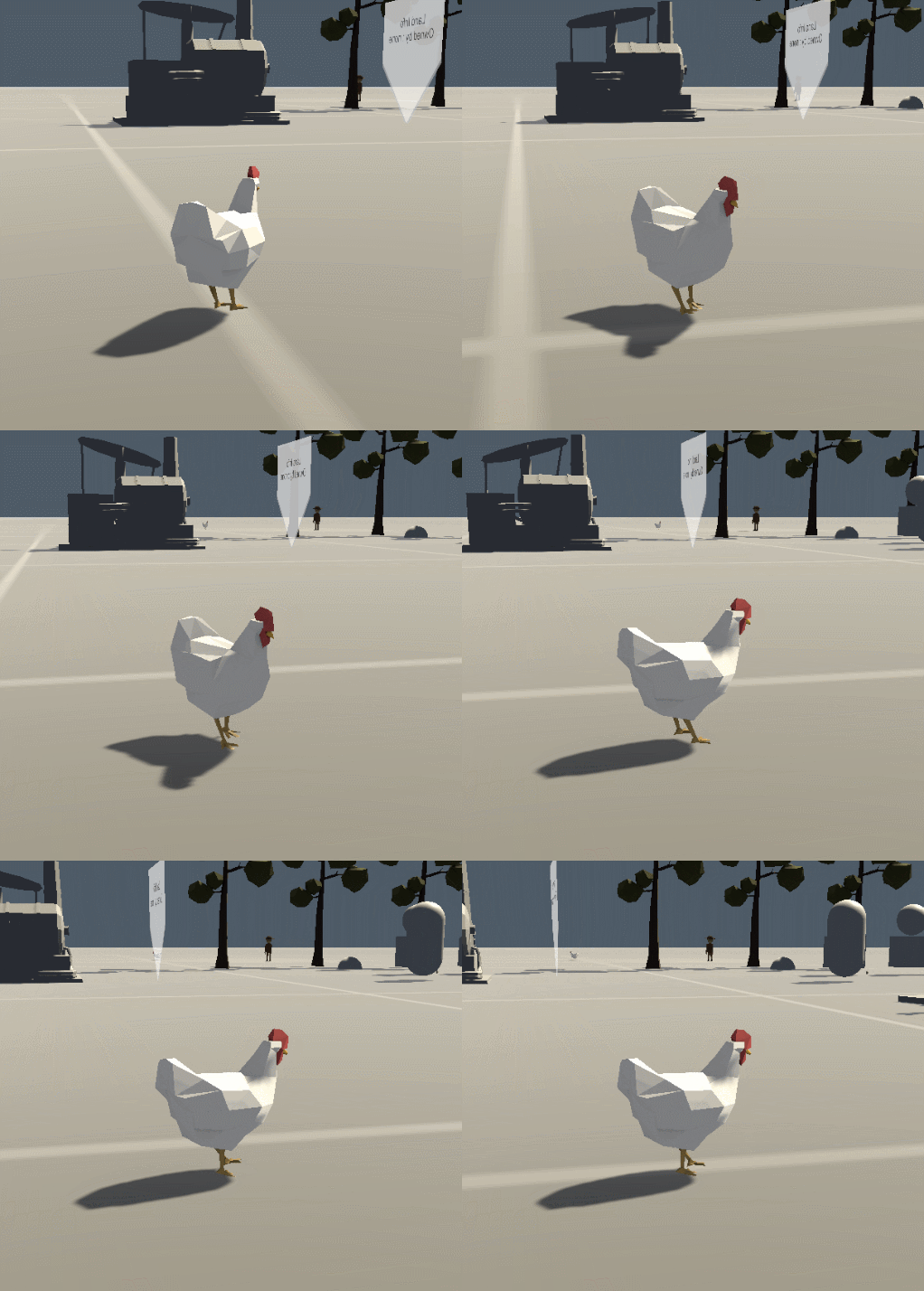
Chicken Cam!
So what's coming next? I've been avoiding working on the AI side of things. Partially because I'm not 100% set on all the details of the game and also because, well, I know it's going to be hard. After watching "Less is More : Designing Awesome AI" I was encouraged to truly start simple. No need to plan out the entire AI, but rather start with basic functions and features, adding and tweaking until it behaves in a way that adds to the game.
I'm starting with farm animal AI. Why you might ask? I'm starting there as a way to learn and get familiar with Behavior Designer (my chosen AI solution for #2). Surely a behavior tree is over kill for a chicken, but I want or rather I need to start simple.
State of the Game - Episode 1
I thought I'd give the good old video dev log a try. The video shows off some visuals in the first scene and then gets to more game mechanics in the second test scene. There will be a write up of the new mechanics coming soon as well.
Let me know what you think about the format or any questions you may have about the game.
Older Posts
-
January 2026
- Jan 27, 2026 Save and Load Framework Jan 27, 2026
-
April 2024
- Apr 10, 2024 Ready for Steam Next Fest? - Polishing a Steam Page Apr 10, 2024
- Apr 1, 2024 Splitting Vertices - Hard Edges for Low Poly Procedural Generation Apr 1, 2024
-
November 2023
- Nov 18, 2023 Minute 5 to Minute 10 - Completing the Game Loop Nov 18, 2023
-
September 2023
- Sep 13, 2023 Visual Debugging with Gizmos Sep 13, 2023
-
July 2023
- Jul 4, 2023 Easy Mode - Unity's New Input System Jul 4, 2023
-
May 2023
- May 19, 2023 Level Builder - From Pixels to Playable Level May 19, 2023
-
April 2023
- Apr 11, 2023 Input Action in the Inspector - New Input System Apr 11, 2023
-
February 2023
- Feb 26, 2023 Tutorial Hell - Why You're There. How to Get Out. Feb 26, 2023
-
December 2022
- Dec 31, 2022 Upgrade System (Stats Part 2) Dec 31, 2022
-
November 2022
- Nov 10, 2022 Stats in Unity - The Way I Do it Nov 10, 2022
- Nov 5, 2022 State of UI in Unity - UI Toolkit Nov 5, 2022
-
August 2022
- Aug 17, 2022 Knowing When A Coroutine Finishes Aug 17, 2022
-
April 2022
- Apr 23, 2022 Unity Input Event Handlers - Or Adding Juice the Easy Way Apr 23, 2022
-
March 2022
- Mar 15, 2022 *Quitting a Job I Love Mar 15, 2022
-
February 2022
- Feb 8, 2022 Split Screen: New Input System & Cinemachine Feb 8, 2022
-
January 2022
- Jan 24, 2022 (Better) Object Pooling Jan 24, 2022
- Jan 19, 2022 Designing a New Game - My Process Jan 19, 2022
- Jan 16, 2022 Strategy Game Camera: Unity's New Input System Jan 16, 2022
-
December 2021
- Dec 16, 2021 Raycasting - It's mighty useful Dec 16, 2021
-
November 2021
- Nov 22, 2021 Cinemachine. If you’re not. You should. Nov 22, 2021
-
August 2021
- Aug 3, 2021 C# Extension Methods Aug 3, 2021
-
June 2021
- Jun 27, 2021 Changing Action Maps with Unity's "New" Input System Jun 27, 2021
-
May 2021
- May 28, 2021 Unity's New Input System May 28, 2021
- May 8, 2021 Bolt vs. C# - Thoughts with a dash of rant May 8, 2021
-
March 2021
- Mar 10, 2021 Coroutines - Unity & C# Mar 10, 2021
-
January 2021
- Jan 14, 2021 Where's My Lunch? - January Devlog Update Jan 14, 2021
-
December 2020
- Dec 27, 2020 C# Generics and Unity Dec 27, 2020
- Dec 7, 2020 Steam Workshop with Unity and Facepunch Steamworks Dec 7, 2020
-
November 2020
- Nov 27, 2020 Simple Level Save and Load System (Unity Editor) Nov 27, 2020
- Nov 9, 2020 Command Pattern - Encapsulation, Undo and Redo Nov 9, 2020
-
October 2020
- Oct 28, 2020 GJTS - Adding Steamworks API and Uploading Oct 28, 2020
- Oct 9, 2020 Game Jam... Now What? Oct 9, 2020
-
August 2020
- Aug 16, 2020 Strategy Pattern - Composition over Inheritance Aug 16, 2020
-
July 2020
- Jul 24, 2020 Observer Pattern - C# Events Jul 24, 2020
- Jul 15, 2020 Object Pooling Jul 15, 2020
- Jul 3, 2020 Cheat Codes with Unity and C# Jul 3, 2020
-
June 2020
- Jun 16, 2020 The State Pattern Jun 16, 2020
-
August 2019
- Aug 12, 2019 Easy UI Styles for Unity Aug 12, 2019
-
July 2019
- Jul 3, 2019 9th Grade Math to the Rescue Jul 3, 2019
-
June 2019
- Jun 12, 2019 Introducing My Next Game (Video DevLog) Jun 12, 2019
-
May 2019
- May 29, 2019 Programming Challenges May 29, 2019
-
March 2019
- Mar 2, 2019 Something New - Asking "What Can I Learn?" Mar 2, 2019
-
November 2018
- Nov 30, 2018 A Growing Channel and a New Tutorial Series Nov 30, 2018
-
October 2018
- Oct 11, 2018 Procedural Spaceship Generator Oct 11, 2018
-
July 2018
- Jul 11, 2018 Implementing SFX in Unity Jul 11, 2018
-
May 2018
- May 31, 2018 Prototyping Something New May 31, 2018
-
April 2018
- Apr 17, 2018 When to Shelve a Game Project? Apr 17, 2018
-
February 2018
- Feb 9, 2018 State of the Game - Episode 3 Feb 9, 2018
-
December 2017
- Dec 16, 2017 State of the Game - Episode 2 Dec 16, 2017
-
November 2017
- Nov 7, 2017 The Bump From A "Viral" Post Nov 7, 2017
-
October 2017
- Oct 30, 2017 NPC Job System Oct 30, 2017
-
September 2017
- Sep 1, 2017 Resources and Resource Systems Sep 1, 2017
-
August 2017
- Aug 3, 2017 State of the Game - Episode 1 Aug 3, 2017
-
June 2017
- Jun 20, 2017 Resources: Processing, Consumption and Inventory Jun 20, 2017
- Jun 15, 2017 Energy is Everything Jun 15, 2017
-
May 2017
- May 16, 2017 Graphing Script - It's not exciting, but it needed to be made May 16, 2017
- May 2, 2017 Tutorials: Low Poly Snow Shader May 2, 2017
-
April 2017
- Apr 28, 2017 Low Poly Snow Shader Apr 28, 2017
- Apr 21, 2017 Environmental Simulation Part 2 Apr 21, 2017
- Apr 11, 2017 Environmental Simulation Part 1 Apr 11, 2017
-
March 2017
- Mar 24, 2017 Building a Farming Game Loop and Troubles with Ground Water Mar 24, 2017
-
February 2017
- Feb 25, 2017 The Inevitable : FTF PostMortem Feb 25, 2017
-
December 2016
- Dec 7, 2016 Leaving Early Access Dec 7, 2016
-
November 2016
- Nov 28, 2016 Low Poly Renders Nov 28, 2016
- Nov 1, 2016 FTF: Testing New Features Nov 1, 2016
-
October 2016
- Oct 27, 2016 Watchtowers - Predictive Targeting Oct 27, 2016
- Oct 21, 2016 Click to Color Oct 21, 2016
- Oct 19, 2016 Unity Object Swapper Oct 19, 2016
-
September 2016
- Sep 18, 2016 Testing Single Player Combat Sep 18, 2016
-
May 2016
- May 25, 2016 Release Date and First Video Review May 25, 2016
-
March 2016
- Mar 26, 2016 Getting Greenlit on Steam Mar 26, 2016